Six surfaces, zero friction.
Every screen in Hikari was designed for the leanback grid: the focus model, the typography, the way the catalogue loads. Here's what's inside.
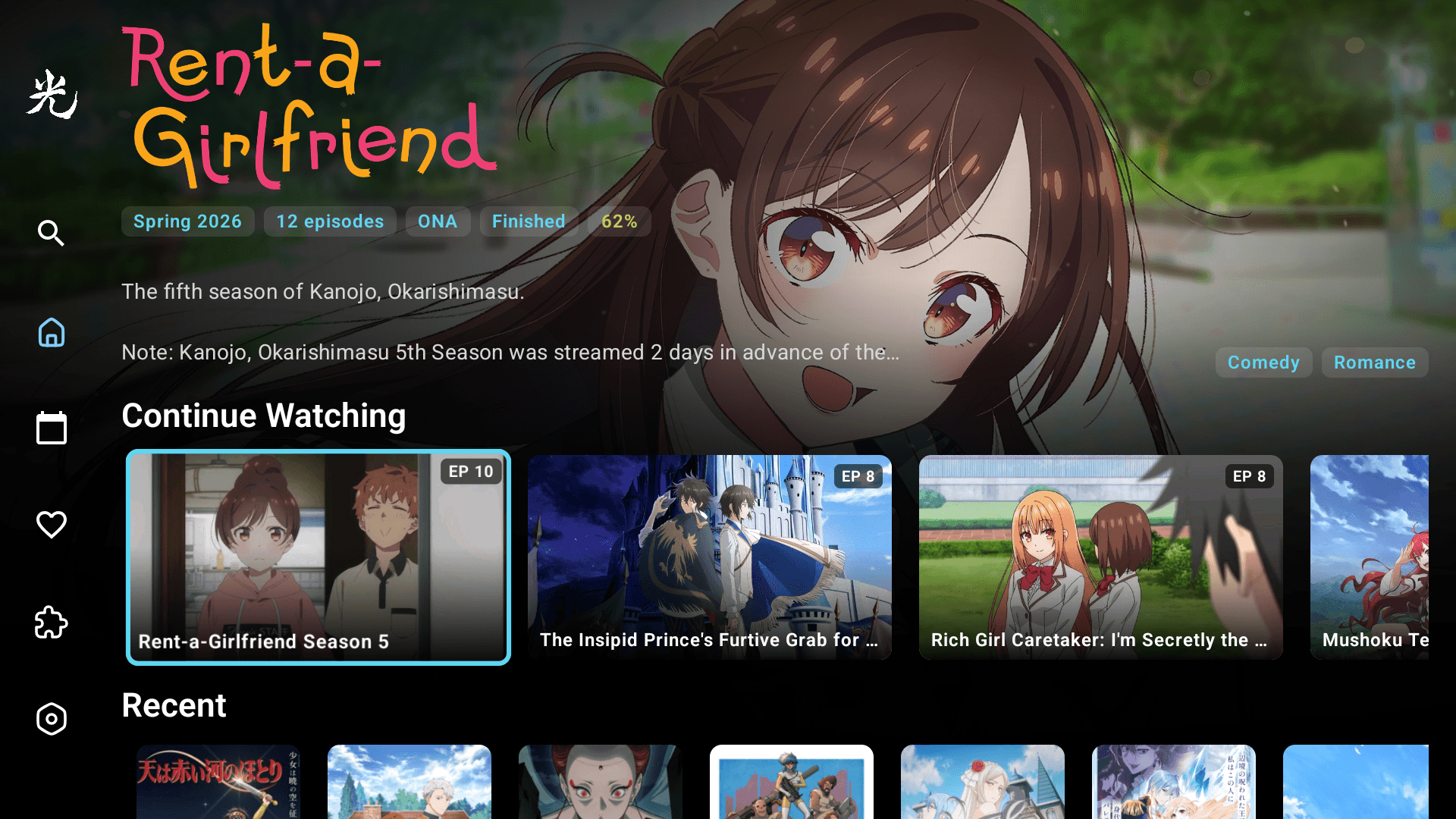
Open the app, see what to watch.
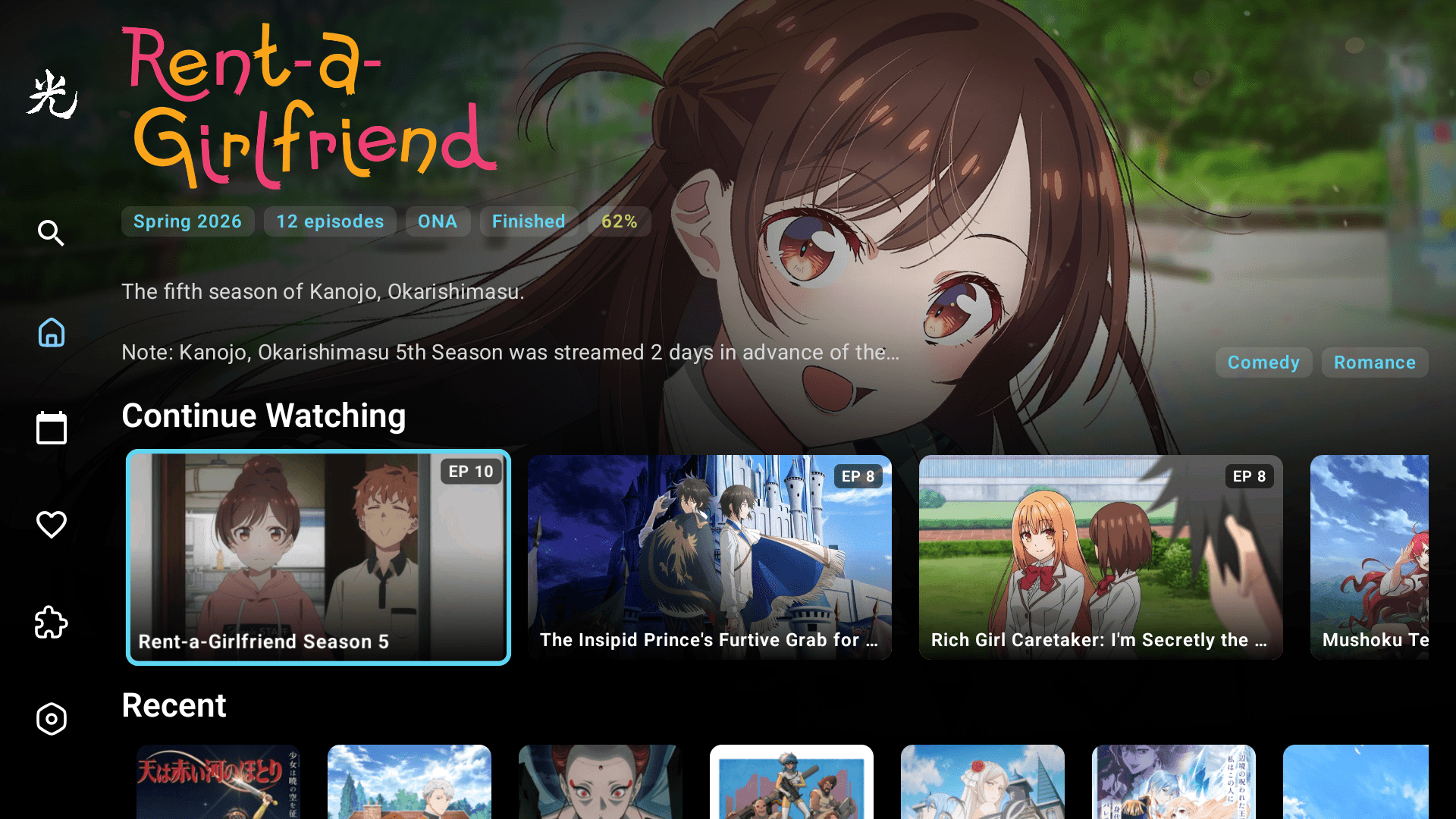
The home screen leads with a featured-show carousel, then surfaces the things that matter most — the show you were halfway through, and the episodes that aired today.
- Hero carousel with title, synopsis, score, format, and genres
- Continue Watching rail with progress per episode
- Recent episodes — fresh airings, in order
- Focus rings that adapt to each show's AniList accent colour
Two presses to anything in the catalogue.
Voice or text search across AniList. Filters for season, format, genre, and tags. Hikari respects the IME you're using — voice on Google TV, on-screen keyboard everywhere else.
- Voice search via Google TV / Fire TV remotes
- Text search with focus-aware suggestions
- Filters for season, format, genre, score, and year
- Results page-load progressively at TV bitrates
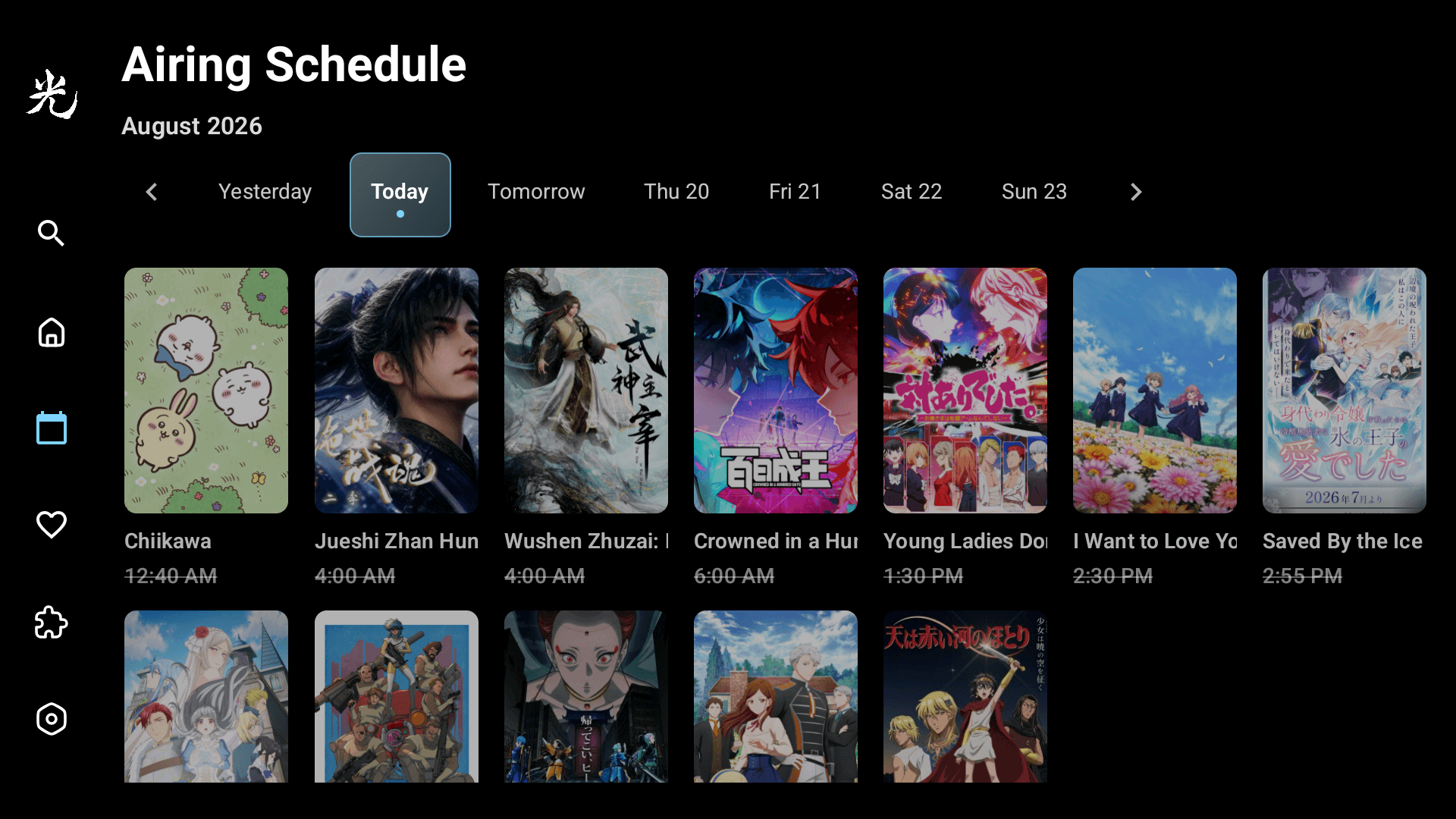
Today, tomorrow, the rest of the week.
See exactly when each show drops, from earliest to latest. Episodes that have already aired are struck through; the next one up is highlighted so you can't miss it.
- Today and the next four days, grouped by air time
- Strikethrough for episodes that have already aired
- Times shown in your local timezone
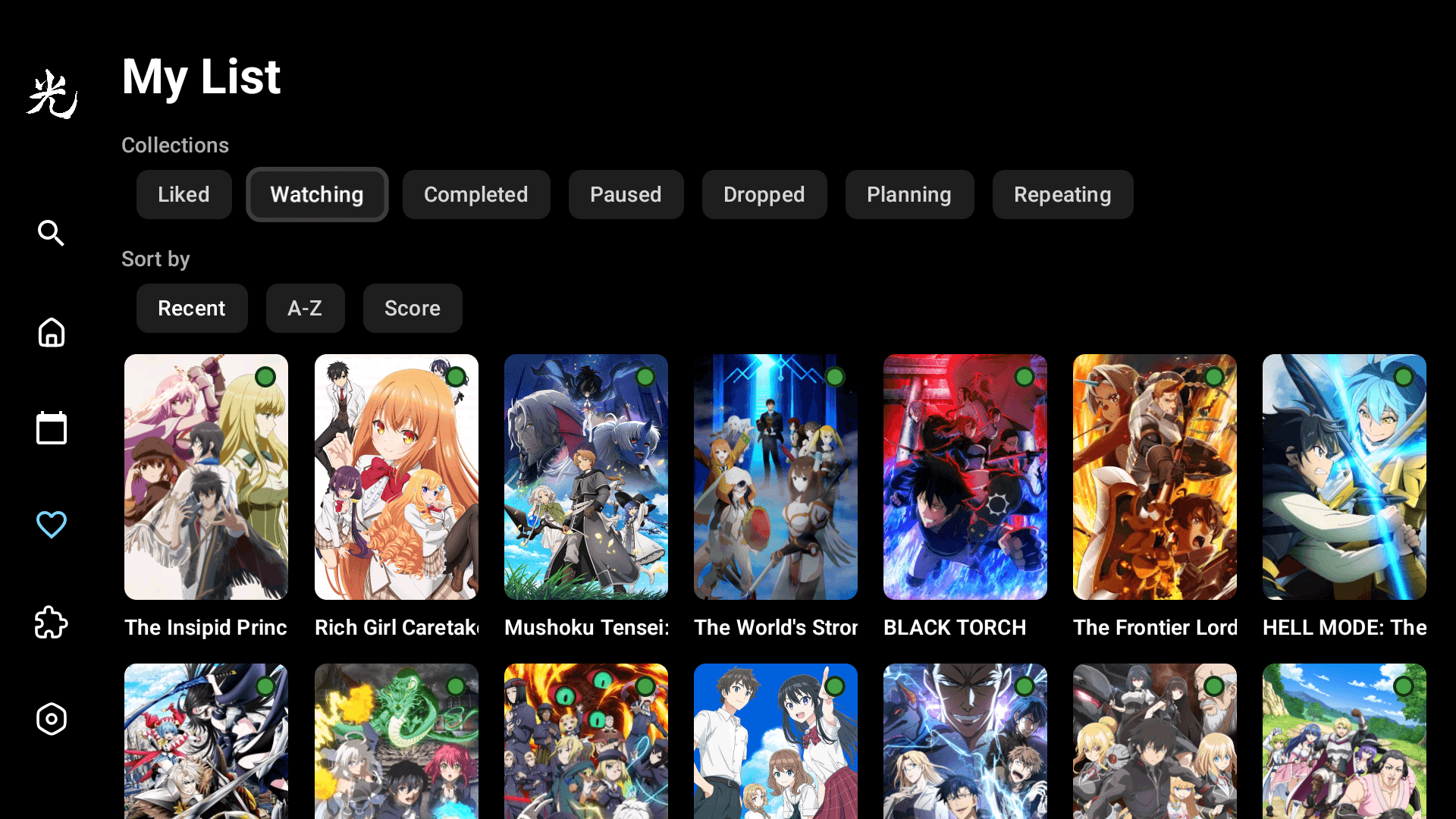
Your queue, in one place.
Add shows from anywhere — search, schedule, recommendations — and they all land in My List. Sortable by recently added, A–Z, or AniList score. Syncs both ways with AniList so it's the same on every device.
- Sort by Recently added, A–Z, or Score
- Two-way AniList sync — your list stays in step
- Long-press to remove, no account required for local-only mode
- Clean grid, large posters, no clutter
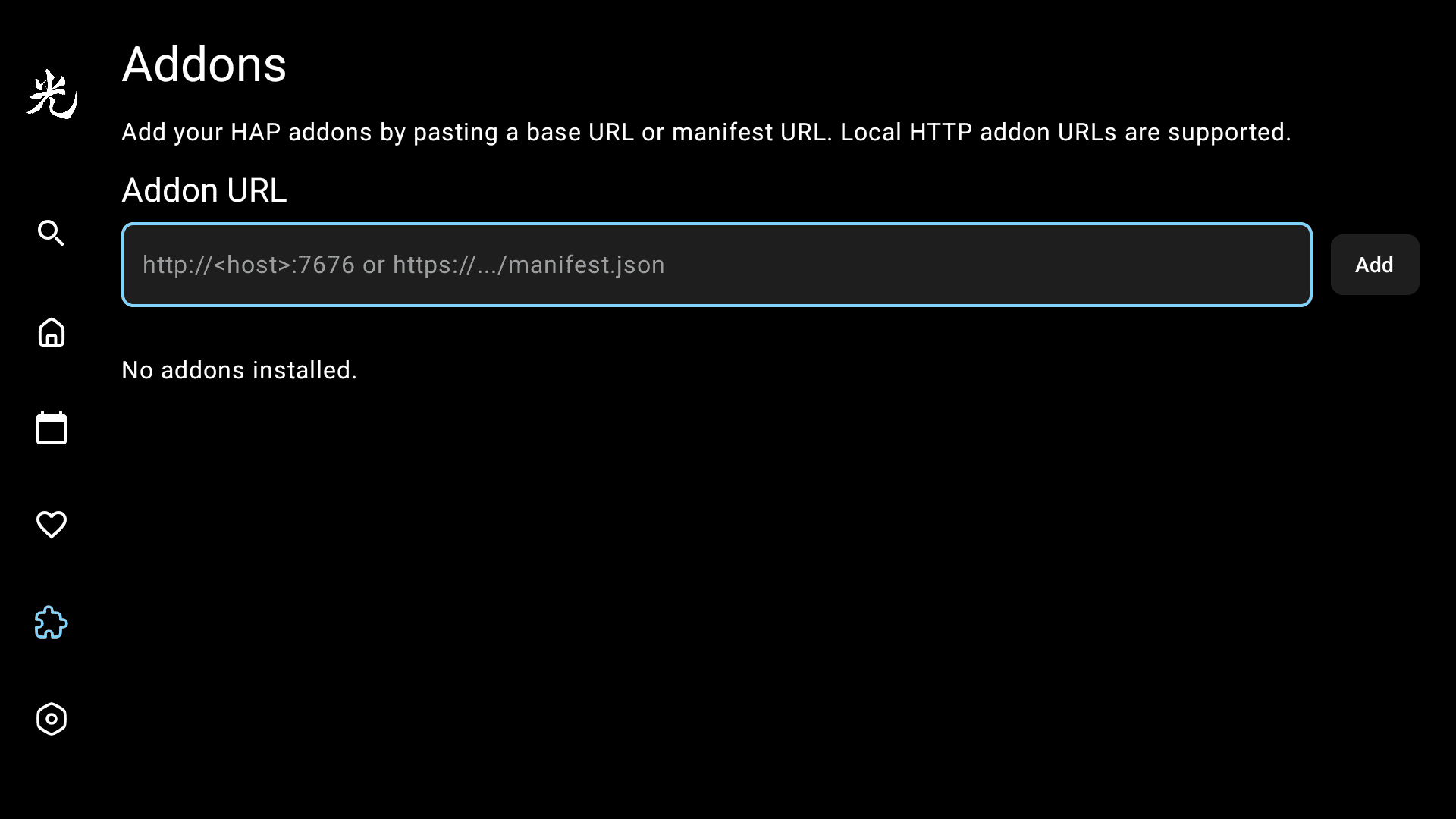
Bring your own sources.
Hikari uses the open Hikari Addon Protocol (HAP). Paste a manifest URL, and any sources that addon returns become available. Hikari ships with zero hard-coded providers.
- Multiple addons can run side-by-side
- Each source tagged with quality, language, and origin
- Preferred resolution setting, 480p to 4K, with smart tier matching
- No hard-coded providers — every source comes from an addon you chose
Arrange it your way.
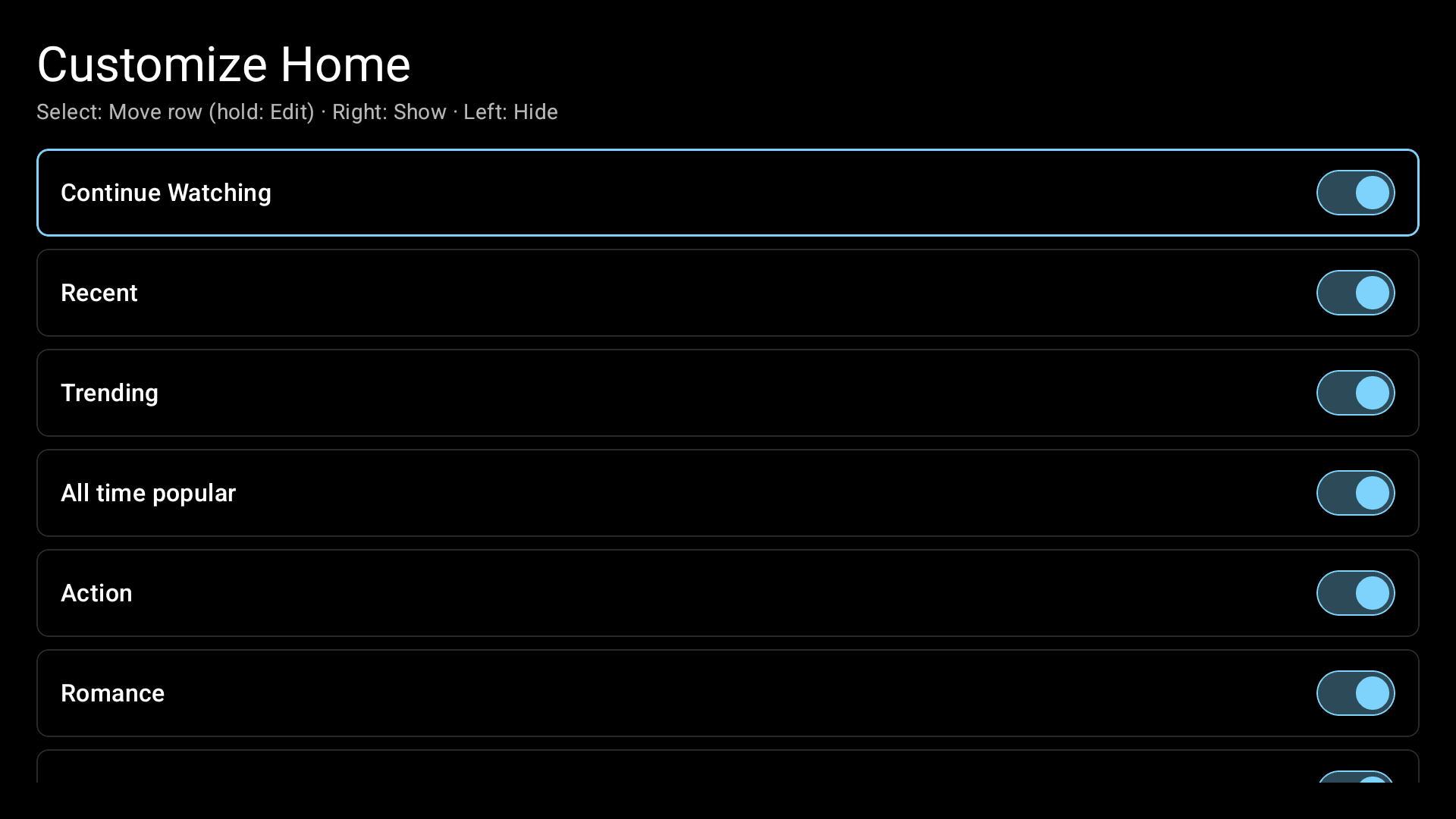
Reorder the rows on your home screen, or hide the ones you never use. Move Continue Watching to the top, bury the genre rails you don't care about — it's your remote, your layout.
- Reorder rows with a hold-and-move gesture
- Show or hide any row — Recent, Trending, genres, and more
- Changes apply instantly on the home screen
Tune playback, then walk away.
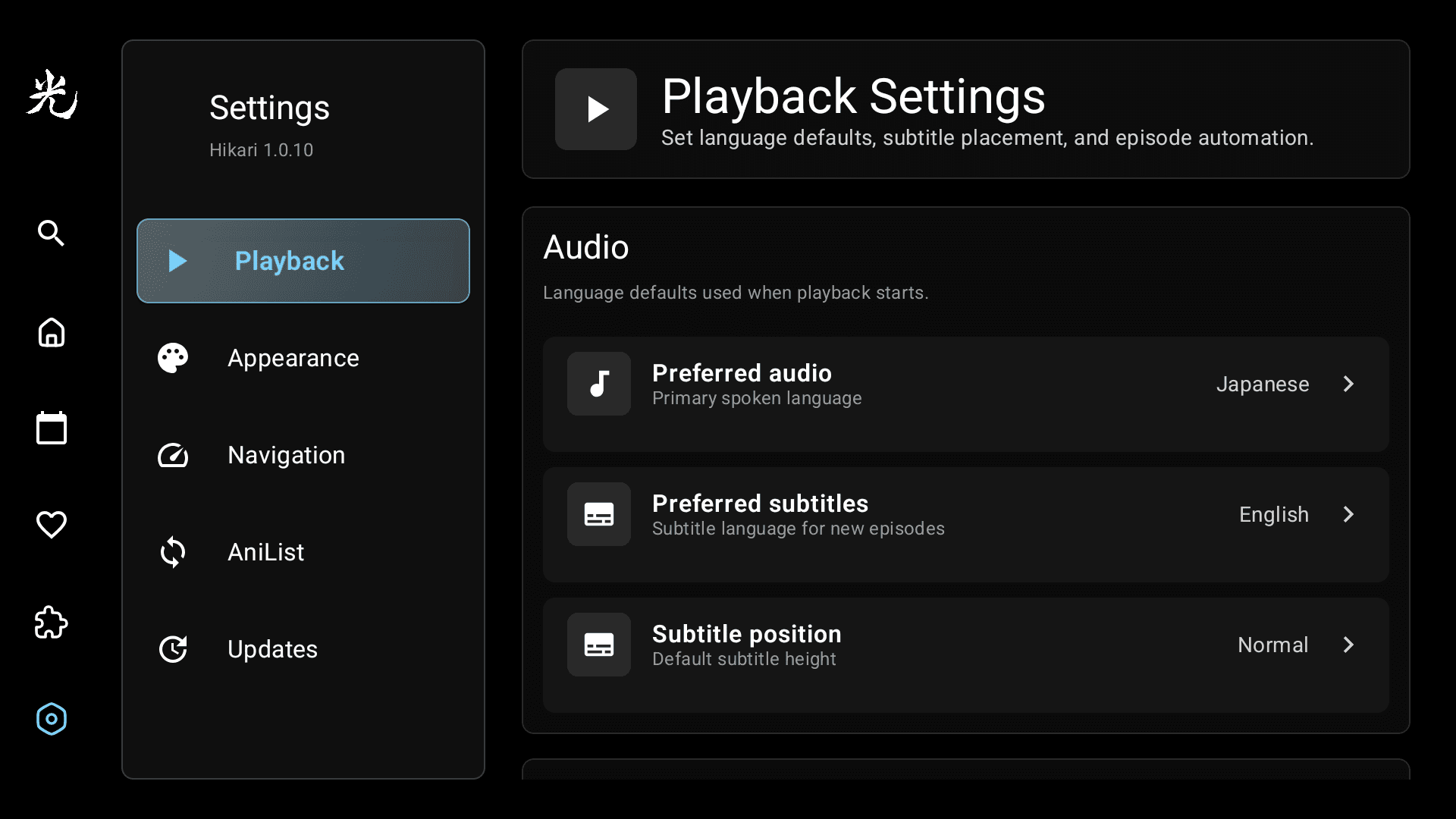
Pick your preferred audio and subtitle languages, decide whether intros and outros auto-skip, and set your title language. Connect AniList by scanning a QR code from your phone — no typing email addresses with a remote.
- Playback powered by Media3 ExoPlayer, with hardware-accelerated decode
- Preferred audio: Japanese → English fallback
- Preferred subtitles, with auto-track selection
- Auto-skip intro / outro markers
- AniList QR code login — phone-side, no typing
It looks the way it works.
A glance at Hikari's home screen — the same browse surface your living room sees.
Sound like the app you've been cobbling together?
Hikari ships as a single APK. Install it on any Android TV, Google TV, or Fire TV box.